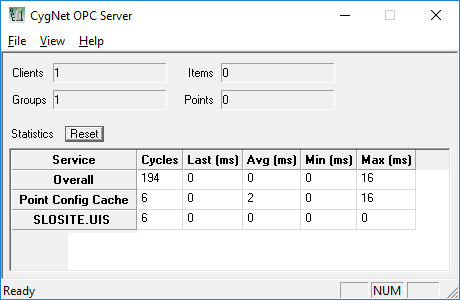
CygNet OPC Server Statistics
To view the CygNet OPC Server statistics, and other OPC server information, right-click on the server icon in the task bar and select Open.
-
Click Reset (Ctrl+R) to reset the statistics at any time.
|
CygNet OPC Server Statistics |
Other Operations
-
Select File > Shutdown Server to shut down the CygNet OPC Server.
-
Select View > Status Bar to show or hide the status bar.
-
Select View > Reset Statistics (Ctrl+R) to reset the statistics at any time.
-
Select Help > About CygNetOPC... to view an About CygNet CygNetOPC Server dialog box to view application information.

